
Upload ZIP
WordPress admin → Plugins → Add New → Upload Plugin.
Plugin
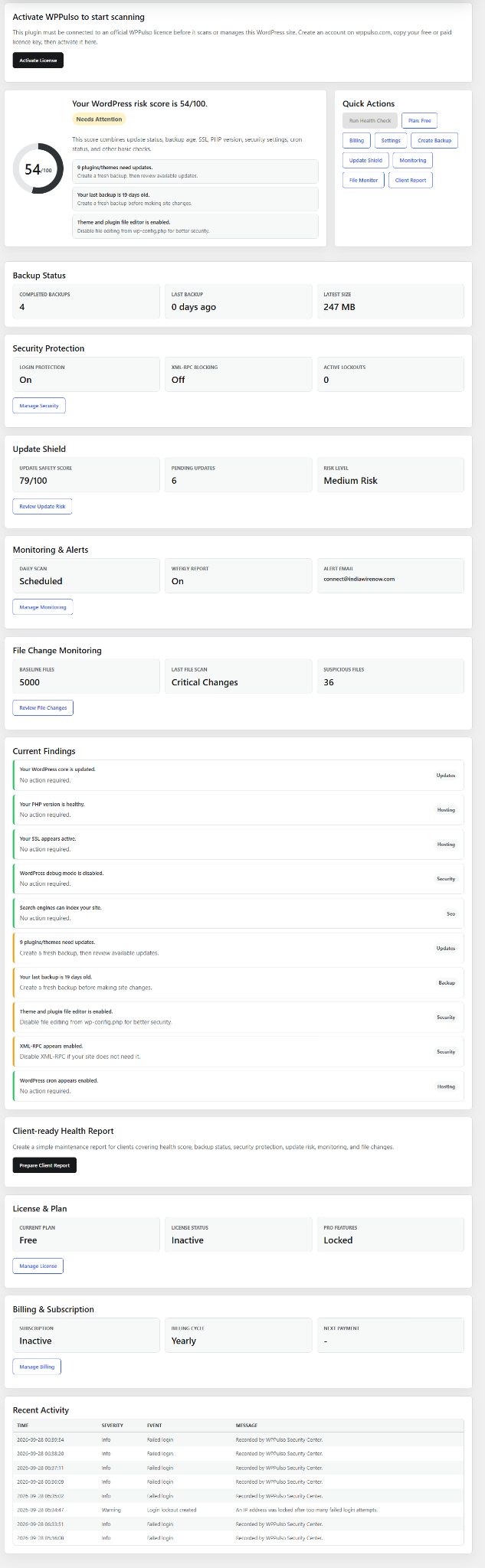
The plugin includes risk score, manual scan, backups, Security Center, Update Shield, file monitoring, malware and file-change review, reports, licensing and customer-safe billing status.
Plugin flow
Requires WordPress 6.0+ and PHP 7.4+. The plugin installs and activates for free, then requires a valid license key before scans and plan features are available.
Plugin developer: DevCodes.
After download
The plugin is the conversion point: install it, activate the free licence, then decide whether the site needs paid monitoring.
WordPress admin → Plugins → Add New → Upload Plugin.
Generate a free license when prompted, then paste it into the plugin.
Review health, backup, update, security and file-change findings.
Before you pay
Owners should not have to guess whether monitoring is worth it. Run the plugin scan, then use the recommendation to choose Free, Pro or Agency.
Plugin screenshots
The plugin includes a main dashboard, Security Center, Update Shield, monitoring and file-change review screens.
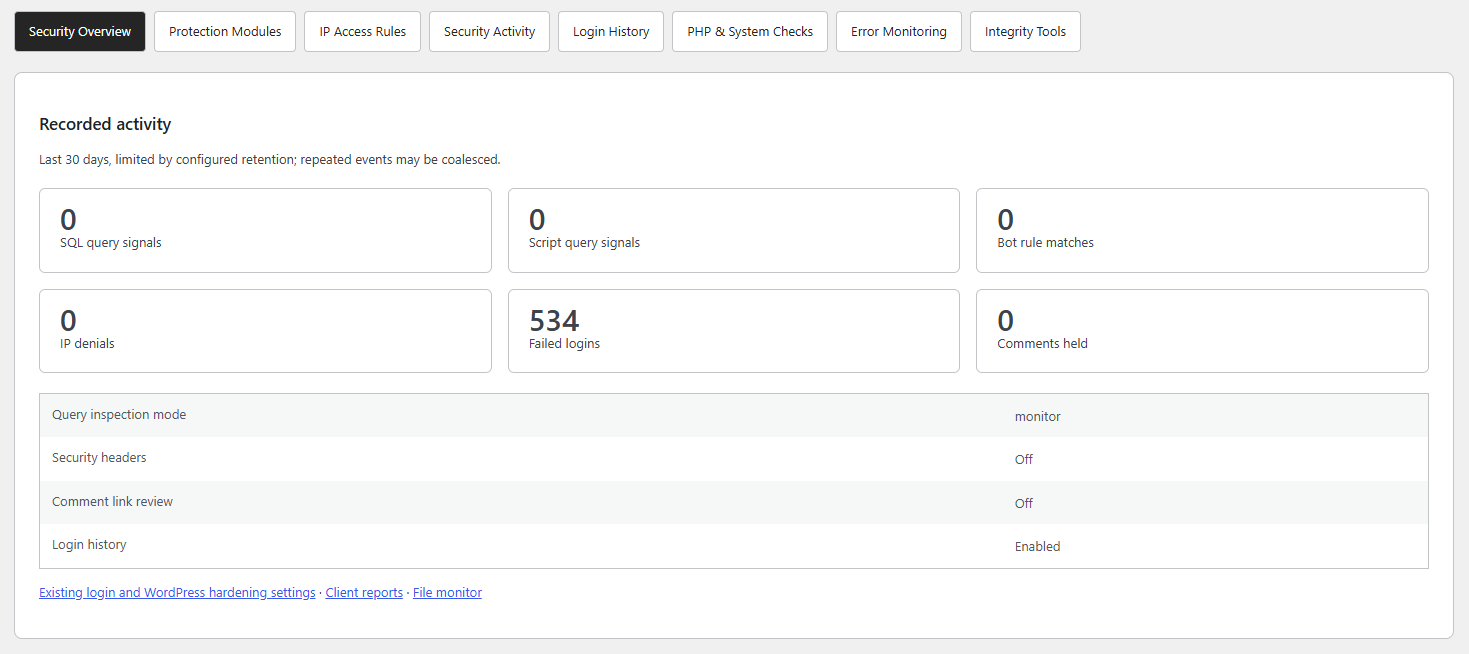
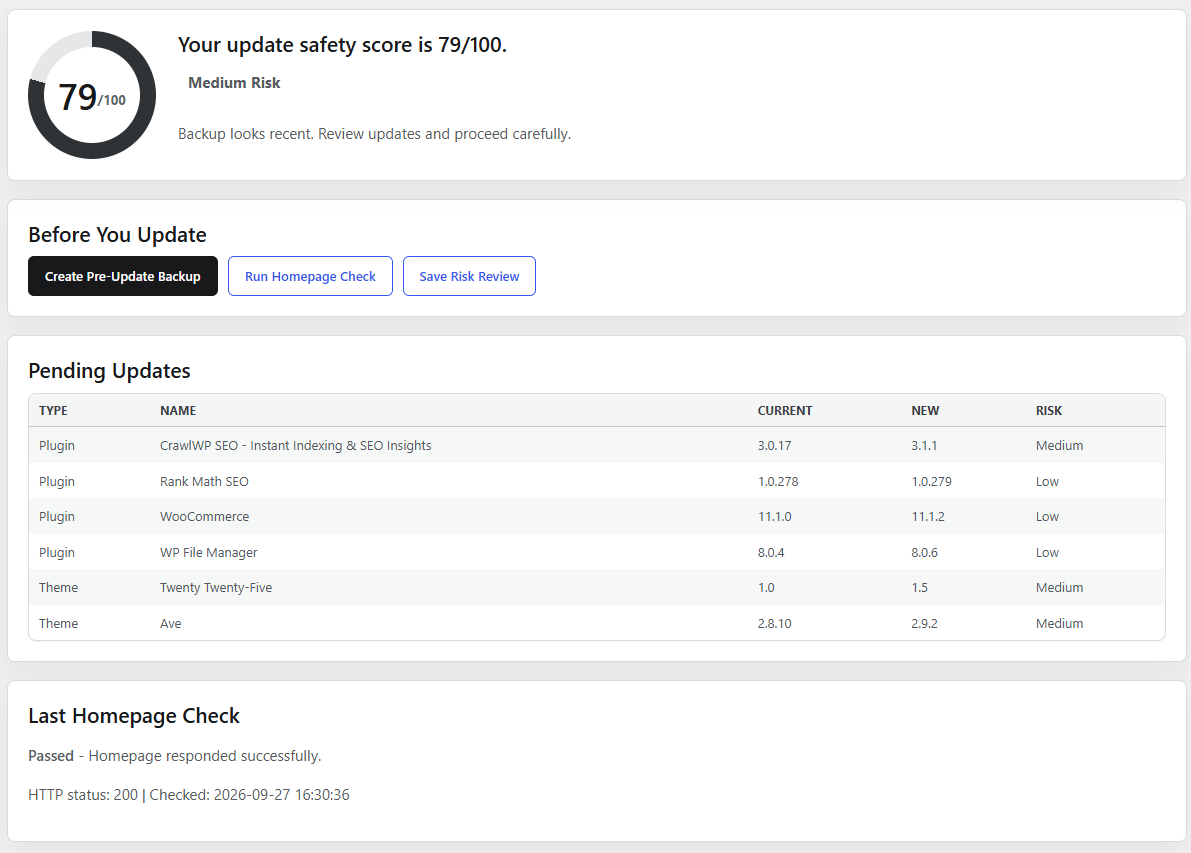
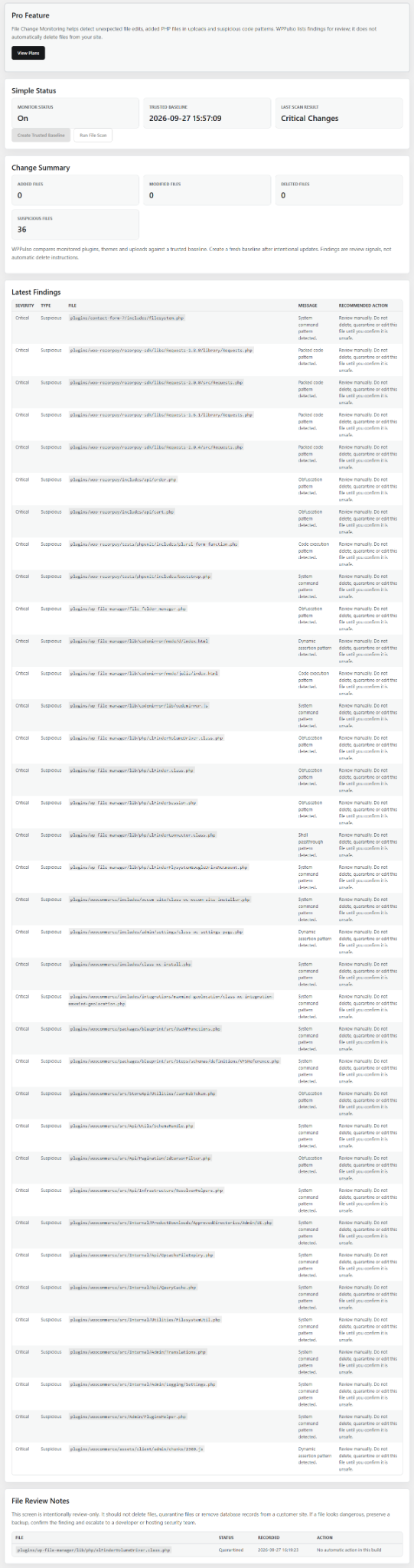
Version 1.2.4 is packaged as a WordPress plugin ZIP.
Free, Pro and Agency activation use official remote validation when connected.
Licensing, billing and upgrades are managed outside this public WPPulso website.
Before acting on findings
The plugin highlights possible risk. Review the file path, plugin name, backup status and recent changes before taking action. If a finding could affect checkout, forms, login, membership or revenue, involve your developer or support.
Review suspicious file details. Do not delete files automatically. Preserve a backup and escalate if the file affects checkout, login, forms or revenue.
High-risk updates should be tested or scheduled, especially on WooCommerce and membership sites.
A stale backup warning means you should confirm recovery before making bigger changes.