
Download
Install the free plugin on one WordPress site.
For WordPress site owners
Download the free WPPulso plugin, run a manual scan inside WordPress and see backup age, updates, SSL, PHP, database, cron, security and file-change signals in one owner-friendly dashboard.
Best first step
Most owners first need to know what is wrong. WPPulso should make that answer visible before asking them to choose a paid plan.
Install the free plugin on one WordPress site.
Run Manual Scan and review the health checklist.
Use Pro for one critical site or Agency for 15 managed sites.
Why owners buy
Use the free scan to prove what needs attention, then move to paid monitoring only when the site protects leads, sales, bookings or client trust.
Owner concerns
If you do not check these regularly, you usually discover the problem only after customers, Google, hosting or hackers expose it.
Review selected security settings and suspicious file signals in the plugin. These checks do not replace a vulnerability intelligence service.
Review local backup history and integrity details. Keep an independent copy and test recovery yourself.
Review pending core, plugin and theme updates with risk context before clicking update blindly.
Catch technical hosting problems that silently affect forms, checkout, cron jobs and security.
The plugin highlights local health signals today. Pro/Agency monitoring adds external alerts when your account is active.
Get simple owner-friendly explanations, not only developer-style plugin screens.
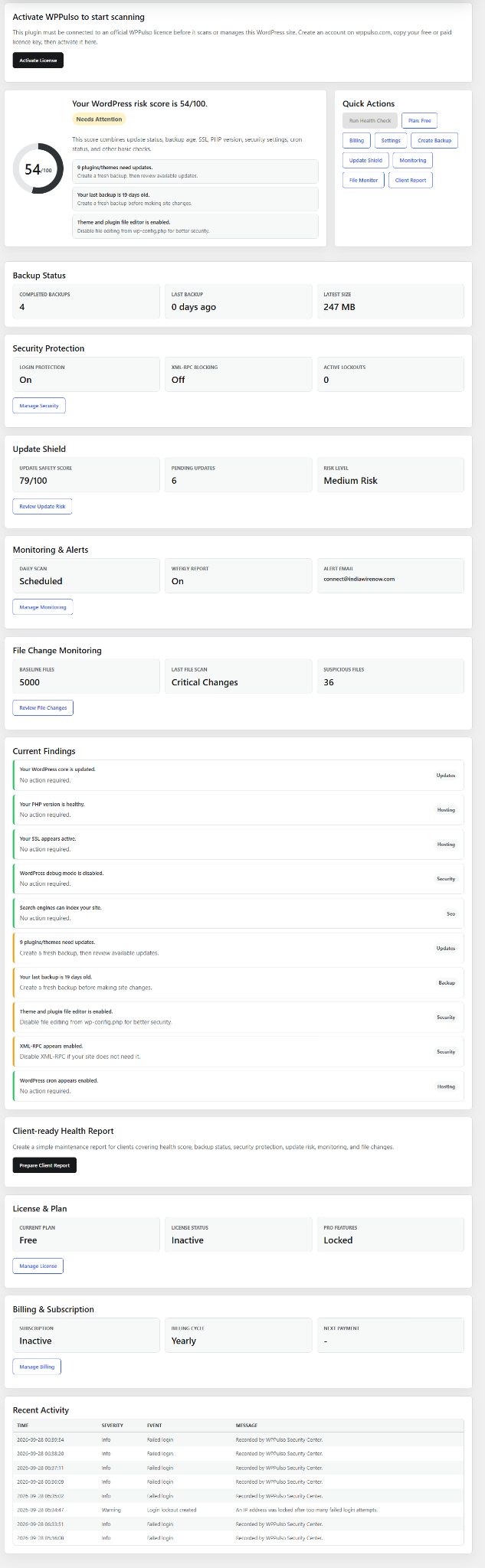
Real plugin dashboard
The plugin shows risk score, backup status, Security Center, Update Shield, monitoring, file-change findings, client report tools, licence status and billing context in one dashboard.
Agency proof of work
The sample white-label report shows uptime, backup age, pending updates, security status, maintenance timeline and next actions in plain language. Agencies can use this format to prove the value of ongoing care instead of sending only technical logs.
Plugin scan flow
Install the plugin, review its findings and decide which changes are appropriate for your site. Pro and Agency plans add hosted monitoring, alerts and account workflows when activated.
Inside the free plugin
Free plugin
Install the plugin and review health, backup, update and security findings inside WordPress. Upgrade later when you need hosted alerts, licence management and client reporting.
For owners who want to know if the site is basically safe and maintained.
For one important WordPress site, Pro adds:
Core features
WPPulso turns scattered plugin, hosting and security checks into one owner-friendly monitoring view.
Give every site a clear score based on updates, security, backups, SSL, PHP, database and cron health.
Detect outdated WordPress core, plugin and theme versions before they become support problems.
See when a working backup was last detected and flag stale backup routines.
Monitor WordPress hosting foundations including PHP, MySQL, SSL and cron health before hidden issues affect forms, checkout or security.
Send useful WordPress health, backup, update and security summaries to site owners or agency clients.
Run an on-demand scan before or after updates, migrations or client handover.
Track WordPress downtime and response issues with alerts so site owners can act before customers report outages.
Identify risky plugins, themes and WordPress versions using vulnerability intelligence.
Check whether WordPress backup routines are recent, visible and ready for recovery before updates or incidents.
Detect suspicious file changes, malware signatures and risky code indicators across WordPress sites.
Buyer confidence
The sales path is intentionally simple: reveal risk first, explain the likely business impact, then recommend the smallest plan that matches the site.
The scan separates owner-visible issues from developer follow-up work.
Free scan first means you can judge value from your own site data.
Update Shield gives a safer review step before action is taken.
Support tickets keep critical, billing and activation issues in one trackable place.
Works with your current setup
It does not try to replace everything. It helps you see whether the important parts of your WordPress site are actually being monitored.
Owner trust
Manual checks display site signals. Other tools, including backup, update and file actions, can change the site. Review each action and keep an independent backup.
The plugin runs inside your WordPress site. This website does not ask you to share your WordPress administrator password.
WPPulso can surface warning signals, but deep malware removal or legal incident response should be handled separately.
The product highlights backup age and readiness so you know when recovery confidence is weak.
Owners get a practical score and checklist instead of only technical logs.
Agency workflows are for teams that need 15 site activations, licence management, billing records, support tickets and client reports.
Risk mode
WordPress incidents usually become worse when owners delete files, run updates or restore backups without context. WPPulso should help you slow down, verify the finding and choose the safest next step.
Run the scan and read what changed before editing the site.
Check backup age, update risk, file findings and hosting signals together.
Keep an independent backup before update, file cleanup, restore or database actions.
Use support or your developer for suspected compromise, failed restore, billing or licence issues.
Plugin screenshots
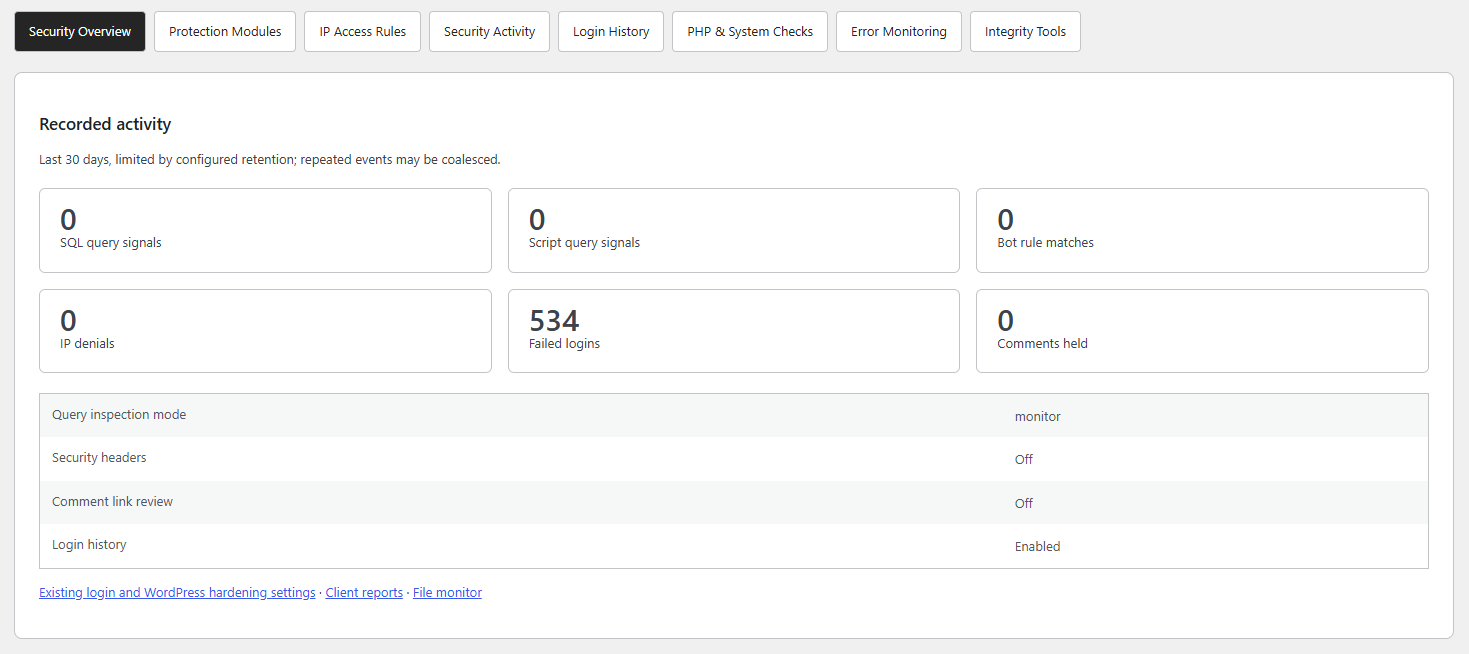
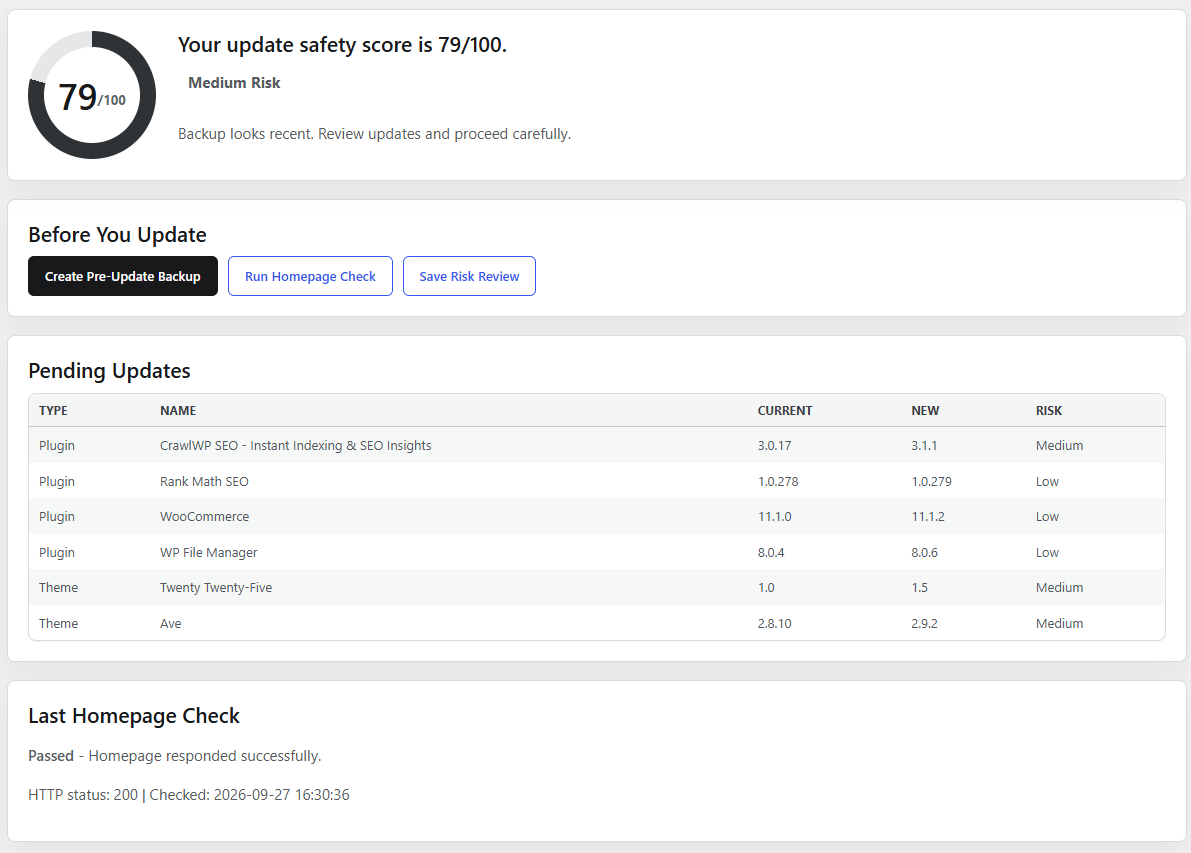
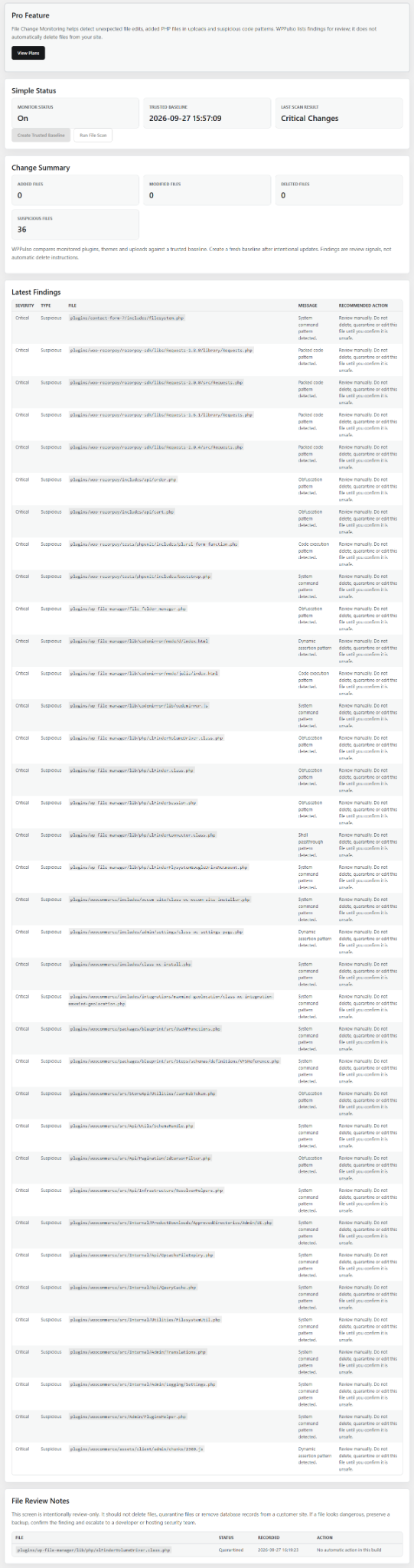
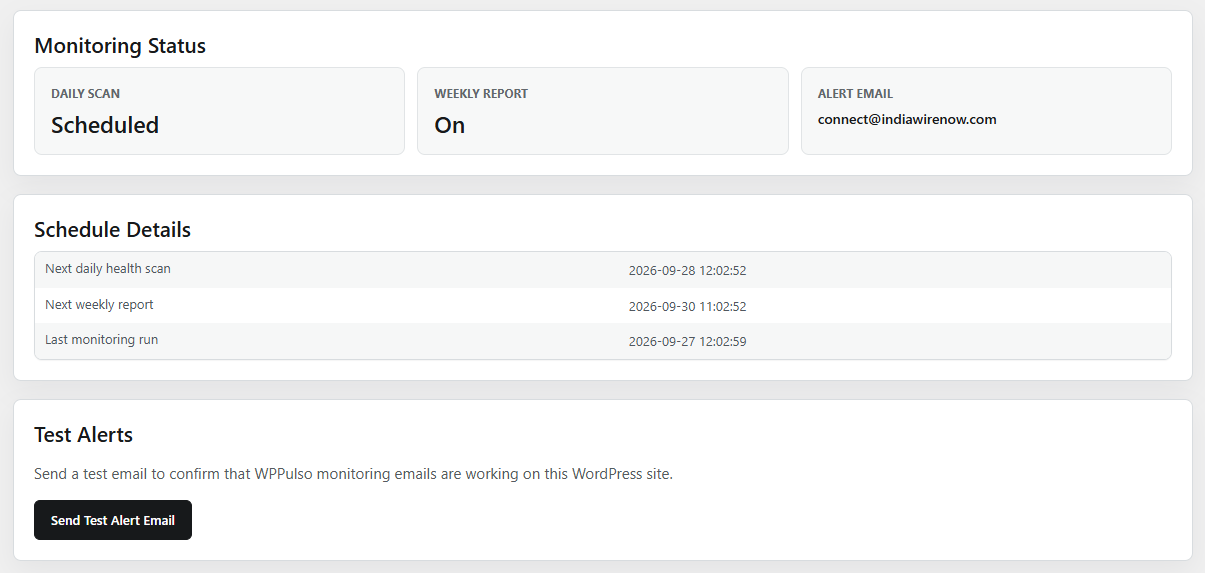
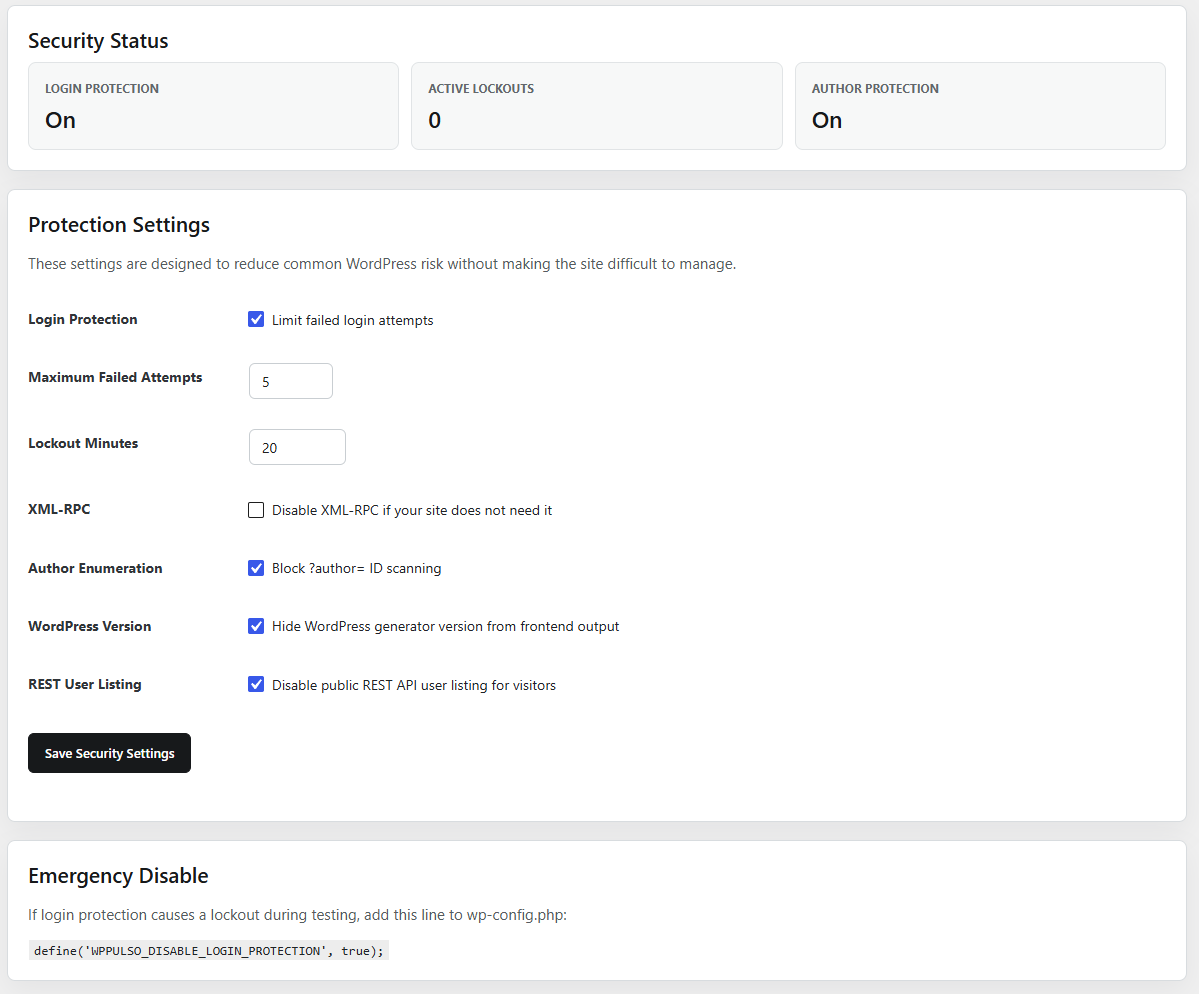
These screenshots show the current plugin experience for dashboard status, security overview, update risk and file-change monitoring.
Owner FAQs
No. The goal is to explain site health in simple language: what is safe, what is outdated, what needs urgent attention and what can wait.
A manual health scan gathers site signals. Some plugin tools, including updates, backup actions and file review and escalation, can change the site. Review each action and keep an independent backup.
No. WPPulso can work alongside existing security, backup and hosting tools. It helps you see whether those protections are healthy and visible.
The plugin includes file monitoring and a review-only workflow for selected suspicious files. It is not a managed malware-cleanup service or a guarantee that every infection will be found.
That is now the primary use case. Start with one site, one score and one checklist before thinking about agency or multi-site features.
This website makes a private preparation checklist only. For actual WordPress findings, install the free plugin and run Manual Scan inside your WordPress dashboard.